For a small company, the best way to find AI opportunities is to start with business problems, not AI technology. The goal is to find use cases where AI can save meaningful time, reduce costs, improve the customer experience or increase revenue without requiring a major investment.
Here is a practical, six-step approach.
1. Identify the biggest business pain points
Start by looking at how work gets done today. Talk to employees, managers and customers to find activities that are repetitive, time-consuming or error-prone. Look for tasks that involve:
- Repetitive data entry or document processing.
- Answering similar customer questions.
- Creating reports, proposals or emails.
- Searching through large amounts of information.
- Scheduling, follow-ups and administrative work.
- Analyzing sales, inventory or operational data.
Ask employees one simple question: "What are three tasks you spend time on every week that you wish could be done automatically?" This often reveals better opportunities than starting with a list of AI tools.
2. Build an AI use-case inventory
Write the opportunities down so you can compare them on business value and implementation difficulty. For a small company, an inventory might look like this:
| Business area | Potential AI use case | Expected benefit |
|---|---|---|
| Customer service | AI-assisted email responses | Faster response times |
| Sales | Lead qualification and follow-ups | More selling time |
| Marketing | Content and campaign creation | Lower marketing costs |
| Finance | Invoice and expense processing | Less administration |
| HR | Resume screening assistance | Faster recruitment |
| Operations | Document processing | Less manual work |
| Management | Automated reporting | Better decisions |
| IT | Internal knowledge assistant | Faster problem-solving |
3. Prioritize opportunities with a scoring model
Not every opportunity deserves investment. Score each use case from 1 (low) to 5 (high) on five criteria:
| Criteria | Weight | Question it answers |
|---|---|---|
| Business impact | 30% | How much money or time could it save or generate? |
| Frequency | 20% | How often is the task performed? |
| Technical feasibility | 20% | Is the required data available and usable? |
| Ease of implementation | 15% | How difficult and expensive would it be? |
| Low operational risk | 15% | What could go wrong if the AI makes a mistake? |
Multiply each score by its weight and add them up. Here is an illustration:
| Use case | Weighted score |
|---|---|
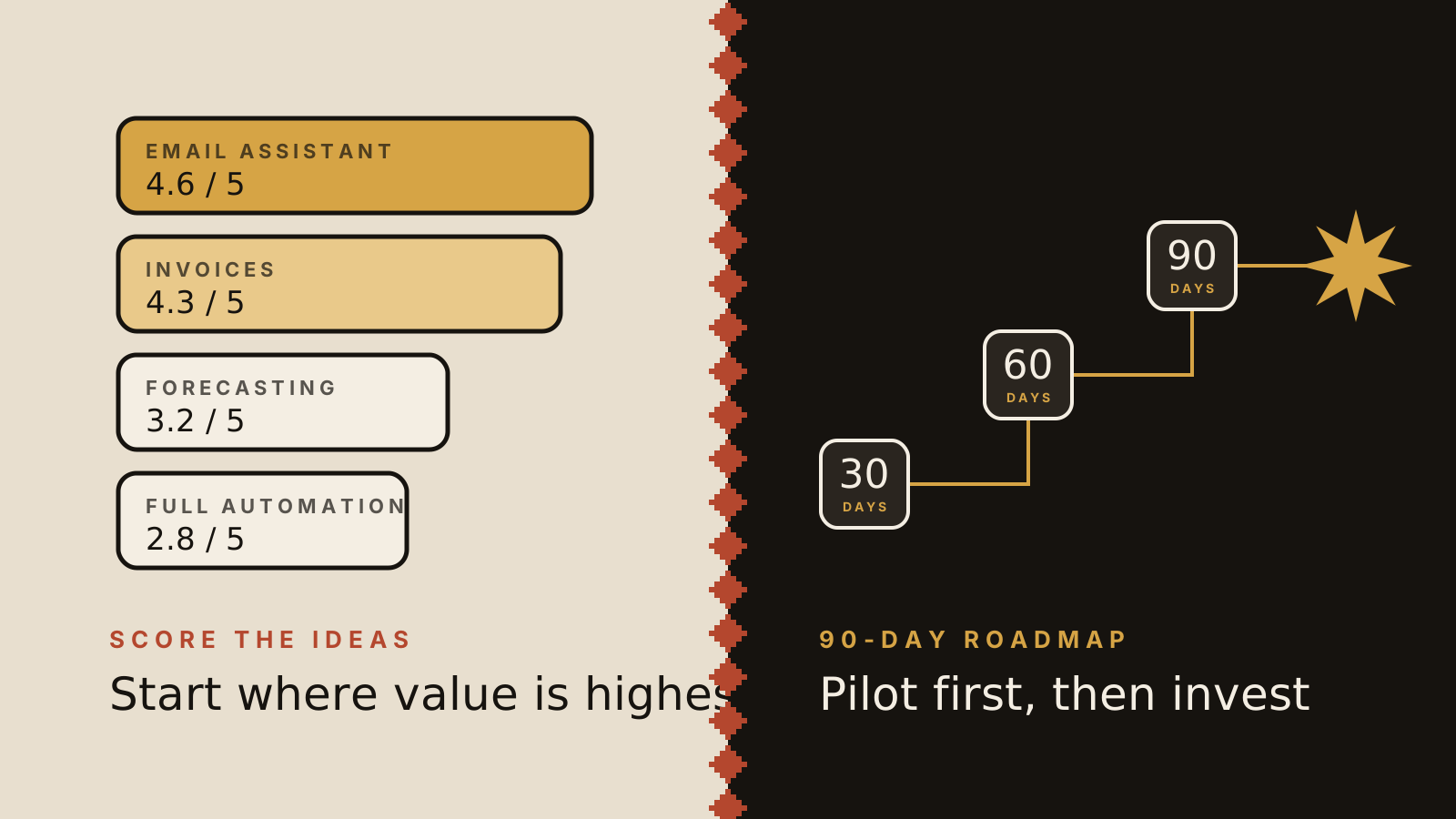
| Customer email assistance | 4.6 / 5 |
| Invoice processing | 4.3 / 5 |
| AI sales forecasting | 3.2 / 5 |
| Fully automated customer service | 2.8 / 5 |
These scores are illustrative only. Yours should come from your own company's circumstances. Start with the high-value, low-complexity opportunities first.
4. Calculate the potential return on investment
Before buying software or hiring consultants, estimate the financial benefit. Imagine five employees who each spend 5 hours a week on repetitive administrative tasks:
- Current weekly workload: 25 hours.
- Potential time reduction: 50%.
- Weekly time saved: 12.5 hours.
- Annual time saved: 650 hours, assuming 52 working weeks.
Then work out the net benefit:
Annual net benefit = annual savings + additional gross profit − annual AI costs
Include every cost: software subscriptions, implementation and integration, employee training, ongoing maintenance, and the human review and quality control the work still needs. If you are weighing a custom build, see how much it costs to build an AI agent.
Don't confuse time saved with cash saved. A productivity gain becomes a financial benefit only when it turns into lower costs, more capacity or additional revenue.
5. Run small experiments before committing
This is arguably the most important step. Instead of launching a company-wide AI project, pick two or three promising use cases and pilot them. A practical 30-day pilot looks like this:
- Week 1: establish the baseline. Measure current time, costs, error rates and performance.
- Week 2: test an AI solution. Use an existing AI tool with a small group of employees.
- Week 3: evaluate performance. Compare the AI-assisted results with the original process.
- Week 4: make an investment decision. Decide whether to expand, modify or abandon the experiment.
Set success criteria before you start, for example:
- Reduce processing time by 30%.
- Maintain or improve accuracy.
- Reduce administrative costs.
- Improve customer response times.
- Reach a positive projected ROI within 12 months.
6. Pick the right category to start with
For most small businesses, three categories are the best place to begin:
- Employee productivity. AI assistants for writing, research, summarization, meeting notes and internal knowledge search. This is the easiest starting point.
- Customer interaction. AI-assisted customer service, email drafting, lead qualification and response management.
- Administrative automation. Invoice extraction, document classification, data entry and report generation.
When a workflow outgrows an off-the-shelf tool, a custom agent can take it further. Chatbot or custom AI agent explains how to tell the difference, and custom AI agents for small business shows where they fit.
Start with an AI opportunity assessment
Rather than buying AI software right away, spend two weeks on an internal assessment. The deliverable is a simple roadmap with six parts:
| Deliverable | Purpose |
|---|---|
| Current process assessment | Identify inefficiencies |
| AI use-case inventory | Document opportunities |
| Prioritization matrix | Rank opportunities |
| ROI estimates | Establish the business justification |
| Pilot recommendations | Decide what to test |
| 90-day roadmap | Plan implementation |
A small company might finish with a roadmap like this:
| Priority | Initiative | Timeline |
|---|---|---|
| 1 | AI email and document assistant | Days 1 to 30 |
| 2 | Invoice processing automation | Days 31 to 60 |
| 3 | Customer service AI assistant | Days 61 to 90 |
The sequence should depend on pilot results, not assumptions.
Don't overlook privacy, security and oversight
Avoid feeding confidential customer, employee or financial information into consumer AI tools until you understand their data handling policies. Keep a person in the loop for any consequential decision.
Where to start
The most useful first question is what kind of company you are evaluating: professional services, manufacturing, construction, retail, healthcare, financial services or something else. The best use cases differ a lot between them.
If you would like a tailored AI opportunity assessment, with a prioritization matrix, ROI estimates and a 90-day roadmap, tell us about your company. You can read more about how we approach this on our AI transformation page.
AI strategySmall business
← All posts